AI Receptionist for Small Businesses: What It Does, Costs, and How to Set It Up
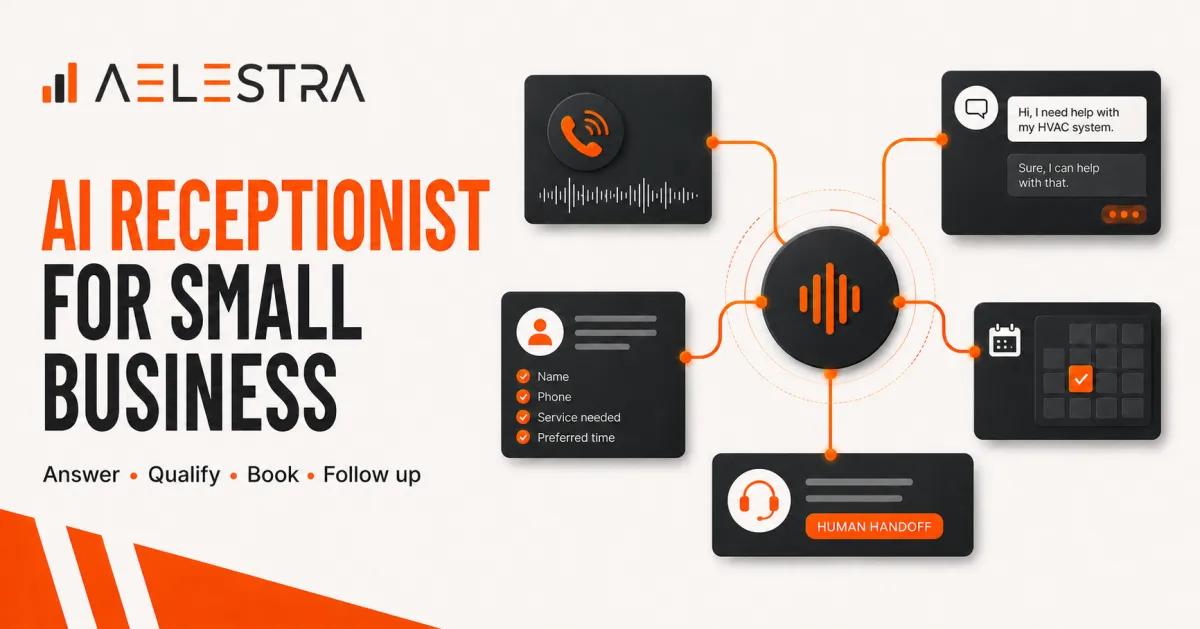
An AI receptionist is a voice or messaging assistant that handles the first stage of a customer conversation. For a service business, that can mean answering routine questions, capturing contact details, qualifying an inquiry, booking an appointment, and passing complex situations to a person with the full context attached.
The value is not simply that the technology can speak to a customer. The value is that it can connect the conversation to the rest of the business: the CRM, calendar, follow-up workflow, and reporting.
This guide explains what an AI receptionist can do, what affects the cost, where human support still matters, and how to implement one without damaging the customer experience.
What does an AI receptionist do?
An AI receptionist can support several common front-desk tasks:
Answer frequently asked questions about services, hours, locations, and availability.
Collect a caller's name, phone number, email address, and reason for contacting the business
Qualify an inquiry using a short, approved set of questions.
Check a connected calendar and offer suitable appointment times.
Create or update a contact in the CRM
Send confirmations and reminders.
Summarize the conversation for the team, and
Transfer or escalate the customer when a human is needed.
The strongest setup is not a standalone bot. It is a connected workflow that moves a customer from inquiry to the next useful step.
What an AI receptionist should not do?
An AI receptionist should not be treated as a universal replacement for employees. It should have clear boundaries.
Human support is usually the better choice when a conversation involves a complaint, a sensitive personal situation, an unusual request, a negotiation, a safety issue, or a decision outside the assistant's approved knowledge.
The assistant should also avoid inventing answers. If it does not have reliable information, it should say so and transfer the conversation or create a follow-up task.
Good automation removes delay. It does not remove accountability.
How much does an AI receptionist cost?
There is no single price that applies to every business. The total cost usually depends on five factors.
Conversation volume: Some services charge by minute, call, message, or usage tier. A business with seasonal peaks may need a different plan from a business with steady daily demand.
Setup complexity: A simple FAQ assistant costs less to configure than a receptionist that qualifies leads, books different services, routes requests by location, and handles several languages.
Integrations: The more systems the assistant must connect to, the more setup and testing may be required. Common integrations include a CRM, calendar, phone system, form builder, payments platform, and reporting dashboard.
Ongoing maintenance: Service details, prices, policies, staff availability, and qualification rules change. The knowledge base and workflows need an owner and a review schedule.
Human handoff requirements: Live transfer, after-hours escalation, and specialized routing can add cost. They can also protect the customer experience, so they should be designed deliberately rather than removed to save money.
When comparing options, calculate total operating cost instead of looking only at the advertised monthly fee. Include configuration, integration, usage, maintenance, staff training, and the cost of missed or mishandled inquiries.
How to set up an AI receptionist
Step 1: Define one measurable goal:
Choose a clear starting point. Examples include reducing missed calls, increasing booked appointments, improving response time, or giving staff fewer repetitive questions.
One goal makes the first version easier to test.
Step 2: Map the customer journey
Document what should happen from the moment an inquiry arrives until the customer reaches a useful outcome. Identify the information the receptionist needs, the questions it should ask, and the situations it must escalate.
Step 3: Prepare approved knowledge
Create a controlled source of truth for services, opening hours, locations, policies, pricing rules, and common questions. Assign an owner who can keep it current.
Step 4: Connect the CRM and calendar
The receptionist should create or update the correct contact, preserve the source of the inquiry, and attach a useful summary. Calendar access should respect service type, location, staff availability, buffers, and booking rules.
Step 5: Design the human handoff
Decide exactly when the assistant should transfer a conversation, create a task, or promise a callback. Include the transcript or summary so the customer does not need to repeat everything.
Step 6: Test real scenarios
Test routine questions, vague requests, interruptions, background noise, unusual names, multiple services, cancellations, complaints, and requests the assistant should refuse to answer.
Step 7: Launch in stages
Start with a limited use case, channel, location, or time period. Review conversations frequently, correct weaknesses, and expand only after the workflow is reliable.
How to measure success:
Useful measures include:
Response time.
Answered versus missed inquiries.
Percentage of qualified leads.
Appointments booked.
Transfers to staff.
Failed or abandoned conversations.
Corrections made by employees.
Revenue or opportunity value linked to the original inquiry.
Do not measure activity alone. A large number of automated conversations is not a success if customers still fail to reach the right outcome.
AI receptionist checklist for small businesses
Before launch, confirm that:
The assistant identifies itself appropriately
Its knowledge is current and approved
It can capture and update contacts correctly
Booking rules are accurate
Sensitive and complex situations reach a person
Conversations are logged with useful context
Staff know how to take over
Performance is reviewed on a regular schedule
The practical takeaway:
An AI receptionist works best as the first layer of a connected customer journey. It can answer, capture, qualify, book, and follow up, while employees handle judgment, empathy, and exceptions.
AELESTRA helps service businesses connect customer communication, CRM, booking, automation, and reporting in one operating system. The goal is not to automate every conversation. It is to remove unnecessary delay and give people better context when they step in.
If you are evaluating an AI receptionist, begin with one workflow and one measurable outcome. A focused first implementation is easier to test, improve, and scale.