AI Agent Platform & Conversational Automation

Launch AI agents that answer, qualify and book.

AELESTRA helps businesses automate AI agents, conversational AI, CRM updates, appointment booking and workflow automation in one platform. Deploy voice and chat agents that deliver instant responses, qualify leads, trigger actions, send SMS or WhatsApp follow-ups and turn customer conversations into booked opportunities at scale.

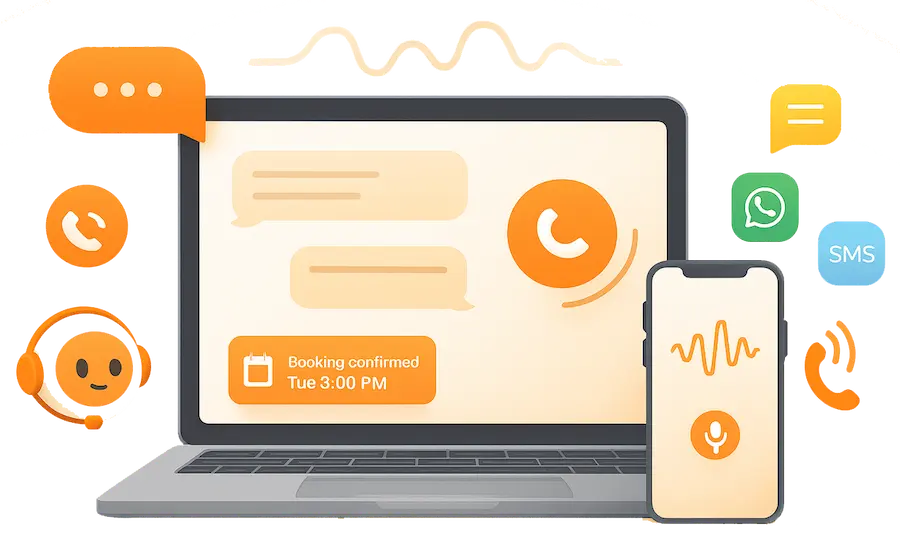
AELESTRA AI agent hero image showing a modern AI agent dashboard with voice calls, CRM updates, appointment booking, workflow actions and knowledge-based responses
Connected AI Agent Workspace

Turn conversations into action.

Build and manage AI agents with AELESTRA. Combine voice and conversational AI, business knowledge, CRM data, appointment booking and workflow automation so every customer conversation can move naturally from question to qualification, booking, follow-up or the next business action.

Voice & Conversational AI

Handle conversations naturally.

Deploy AI voice agents and conversational experiences that respond using your business context. Configure language, voice, AI model, prompts and conversation behavior to create customer interactions aligned with the way your business operates.

AI voice agents for inbound and outbound customer conversations
Configurable language, voice, AI model, prompts and speaking behavior
Call transfer, agent handoff and conversation controls
Actions & Automation

Move every conversation forward.

Give AI agents the ability to do more than answer questions. Qualify prospects, update customer information, book appointments, trigger workflows and continue the customer journey with connected actions while keeping activity inside your business systems.

Appointment booking and connected calendar actions
CRM updates, contact fields and workflow triggers
SMS, WhatsApp, call transfer and post-conversation actions
Knowledge & Performance

Ground every response in your business.

Connect agents to a structured knowledge base built from your websites, FAQs, files and business information. Test responses, identify knowledge gaps and review agent activity to keep AI conversations more relevant, consistent and useful over time.

Knowledge from websites, FAQs, files, tables and structured content
Knowledge testing and visibility into unanswered information gaps
Agent logs, call history and conversation performance insights
Interactive AI Agent Product Tour

Explore AI agents inside a live automation workspace.

See how AELESTRA brings AI agents, voice and conversational AI, business knowledge and connected actions into one workspace. Configure agents to qualify leads, update CRM records, manage appointment booking, send follow-ups and trigger automated workflows directly from customer conversations.

Interactive product simulation
Fictional demo data only
A
Northstar Services Demo workspace

AI Agents

Build, test and manage AI agents across customer conversations

Active Agents 3 Fictional workspace
Demo Conversations 214 Example activity
Appointments 38 Simulated bookings
Transfers 16 Example handoffs
Agent Channel Status Primary Goal Updated
FD
Front Desk Agent Customer service & booking
Voice AI Active Answer & book Today
LQ
Lead Qualification Agent Qualification & CRM actions
Voice AI Active Qualify & route Yesterday
AC
Appointment Coordinator Scheduling & follow-up
Voice AI Active Schedule appointments 2 days ago
AH
After Hours Agent General inquiries
Voice AI Draft Answer & transfer Sep 28

Knowledge Base

Connect structured business knowledge to your AI agents.

Company Website

Fictional website pages containing services, policies and common customer information.

24 pages Ready
Customer Service FAQ

Reusable question-and-answer knowledge for common customer conversations.

18 answers Ready
Service Guide

Fictional uploaded business reference used for this interactive product simulation.

File source Ready
Service Information Table

Structured fictional information for service categories and internal agent reference.

14 rows Ready
Test Knowledge Ask a fictional question to preview knowledge retrieval.

Agent Templates

Start from a preconfigured agent structure and customize the behavior.

Customer Service Agent

Answer common questions, use business knowledge and transfer when configured.

Lead Qualification Agent

Collect relevant information, update CRM fields and route qualified opportunities.

Appointment Booking Agent

Handle scheduling conversations and connect appointment actions with follow-up.

Agent Logs

Review fictional conversation activity and agent outcomes.

Front Desk Agent Demo caller 1042
Voice Inbound
3m 42s Duration
Booked
Today 11:18 AM
Lead Qualification Agent Demo caller 1038
Voice Outbound
2m 16s Duration
Transferred
Today 10:04 AM
Appointment Coordinator Demo caller 1033
Voice Inbound
1m 58s Duration
Booked
Yesterday 4:46 PM
Front Desk Agent Demo caller 1029
Voice Inbound
4m 21s Duration
Follow-up
Yesterday 2:13 PM
Front Desk Agent
Demo configuration • Changes are simulated

Agent Details

Configure how this fictional AI voice agent communicates.

Basic Configuration

Choose the primary agent settings used in this simulation.

Welcome Message

Set the first message used when the conversation begins.

Agent Instructions

Define the agent's role, conversation style and business rules.

Agent Goals

Define the objectives that guide this fictional agent.

Primary Goal

Guide customer conversations toward the correct next step.

Conversation Objectives
Understand Intent Identify the customer's reason for contacting the business.
Qualify When Relevant Collect the information needed for the current customer request.
Escalate When Needed Transfer conversations based on configured conditions.

Agent Actions

Give the agent access to connected business actions.

✓
Book Appointment

Use configured scheduling availability during the conversation.

✓
Update Contact

Update configured CRM contact fields from the conversation.

✓
Trigger Workflow

Start a configured automation based on conversation context.

✓
Transfer Call

Hand off to a configured person or destination when appropriate.

✓
Send SMS

Send a configured transactional message when conditions are met.

✓
Send WhatsApp

Continue the customer journey through a configured WhatsApp action.

✓
Custom Action

Connect additional configured tools or custom business actions.

✓
End Call

End the conversation based on configured completion logic.

Knowledge Base

Select the business knowledge available to this agent.

Attached Knowledge

These fictional sources are connected to the demo agent.

Company Website Website source • 24 pages
Connected
Customer Service FAQ FAQ source • 18 answers
Connected
Service Guide File source
Connected
Knowledge Retrieval
Use Knowledge Base Reference connected business knowledge when responding.
Knowledge Gap Tracking Surface unanswered areas for future knowledge improvements.

Post-Call Actions

Configure what happens after a completed conversation.

After Conversation
Conversation Summary Create a structured summary of the completed conversation.
Update Contact Record Save configured information to the CRM contact.
Team Notification Notify the appropriate internal team when configured conditions are met.
Trigger Follow-Up Workflow Continue the customer journey through a configured workflow.

Advanced Settings

Fine-tune conversation and audio behavior.

Conversation Controls
Audio & Conversation Behavior
Idle Reminder Prompt the caller after a configured period of silence.
Noise Cancellation Apply configured audio processing to the conversation.
Background Audio Optional configured background audio behavior.
✓ Demo action completed.
AI Agents Interactive demo workspace
Front Desk Agent Voice AI • Customer service & booking
Active
3 knowledge sources 4 actions
Lead Qualification Agent Voice AI • CRM qualification
Active
CRM connected Transfer enabled
Appointment Coordinator Voice AI • Scheduling
Active
Booking action Follow-up enabled
After Hours Agent Voice AI • General inquiries
Draft
Demo configuration Not published
Book Appointment Connected scheduling action
Update Contact CRM field updates
Trigger Workflow Continue automation
Transfer Call Human handoff
SMS Follow-Up Configured message action
WhatsApp Action Connected follow-up
Company Website 24 fictional pages
Ready
Customer Service FAQ 18 fictional answers
Ready
Service Guide Fictional file source
Ready
Knowledge Gap Tracking Enabled
Front Desk Agent Fictional web-call test
I would like to schedule a consultation.
I can help with that. I’ll check the configured appointment options for this demo.
Booking action prepared

This interactive experience demonstrates how AELESTRA can bring AI voice agents, conversational AI, business knowledge, lead qualification, CRM updates, appointment booking, call transfers, messaging actions, workflow automation, post-call processes and agent activity into one connected workspace. Every company name, agent, caller, contact, conversation, phone call, message, appointment and action shown above is fictional demo data. No live customer record, phone call, message, calendar event or external system is accessed, contacted, created or changed.

AI AGENT FAQ

Questions about AI agents? Start here.

Clear answers about AI voice agents, conversational AI, automated appointment booking, CRM updates, workflow automation, call transfers, business knowledge and multilingual customer conversations with AELESTRA.

Frequently asked
8 questions

AELESTRA AI Agent is an action-capable AI agent platform for customer conversations. Businesses can configure voice, language, AI model, prompts and conversation behavior, connect approved knowledge sources and allow agents to take configured actions such as booking appointments, updating CRM fields, transferring calls and triggering workflows. Agent activity can stay connected to the wider AELESTRA customer journey instead of operating as a standalone phone tool.

Yes. AELESTRA supports configurable AI voice agents for customer conversations, including voice behavior, welcome messages, conversation instructions and call controls. Agents can use connected business knowledge to answer relevant questions and move conversations toward configured outcomes such as booking, qualification, transfer or follow-up. Outbound call configuration is also available where appropriate for the workflow.

Yes. An AI agent can be configured to use AELESTRA appointment scheduling during a customer conversation. The agent can work with the booking flow you configure, help move the customer toward an available appointment and connect the result with follow-up automation. This helps businesses reduce the gap between a customer inquiry and the next scheduled step.

Depending on the agent configuration, AELESTRA AI agents can take connected business actions such as updating CRM customer data, booking appointments, transferring calls, triggering automation workflows, sending configured SMS or WhatsApp actions and ending calls according to defined logic. Custom actions can also extend the workflow where supported, helping the agent move beyond simply answering questions.

Yes. Agents can be connected to an AELESTRA knowledge base built from business sources such as website content, FAQs, structured tables, rich text and uploaded files. This gives the agent a defined information source for relevant customer questions. Teams can also test knowledge retrieval and review knowledge gaps to identify areas where the available business information may need improvement.

Yes. Businesses can configure the agent's language, voice, AI model, prompt, welcome message and conversation rules. Advanced voice settings can also control areas such as speaking speed, wait-before-speaking behavior, silence handling, background audio, noise cancellation and call-duration settings. This allows each AI phone agent to be shaped around the intended customer experience and use case.

Post-call behavior can be configured around the needs of the workflow. AELESTRA can support post-call processes such as summaries, notifications, CRM updates and triggered follow-up workflows when those actions are configured for the agent. This helps businesses keep important call outcomes connected to customer records and automated follow-up instead of relying on disconnected manual notes.

Yes. AELESTRA includes testing options for web and phone conversations so teams can review agent behavior before wider use. Call history, agent logs, reporting and performance summaries provide visibility into conversation activity and outcomes. This gives teams a clearer way to review how an AI agent is behaving and refine its configuration over time.

Build a more connected customer experience by bringing AI voice agents and conversational AI, business knowledge, appointment booking, CRM customer data, call actions and automated follow-up together inside one connected business platform.